How to change DNS Servers on TP-Link Routers
Introduction
There are times where a Customer’s router will show connected but will not pass traffic. In these instances, you may need to change the DNS servers the customer is using. This guide will walk you through that process.
Configuration
Step 1. Log in to the router management page.
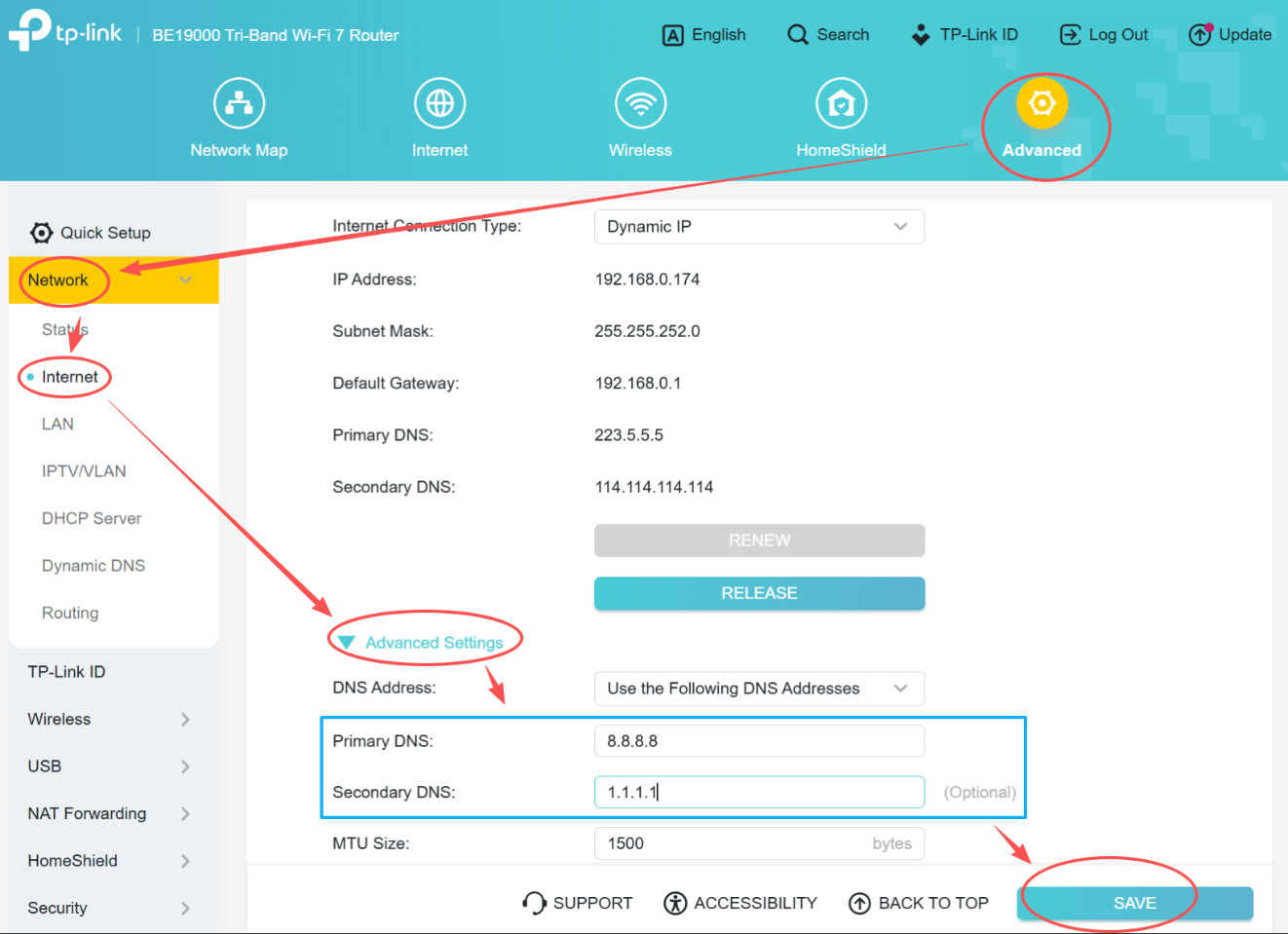
Step 2. Go to Advanced > Network > Internet > Advanced Settings, choose “Use the Following DNS Addresses”, change DNS as needed, then click SAVE.
Note: for some old UI in green or blue page, you may find DNS settings via Network > WAN or Advanced > Network > WAN.
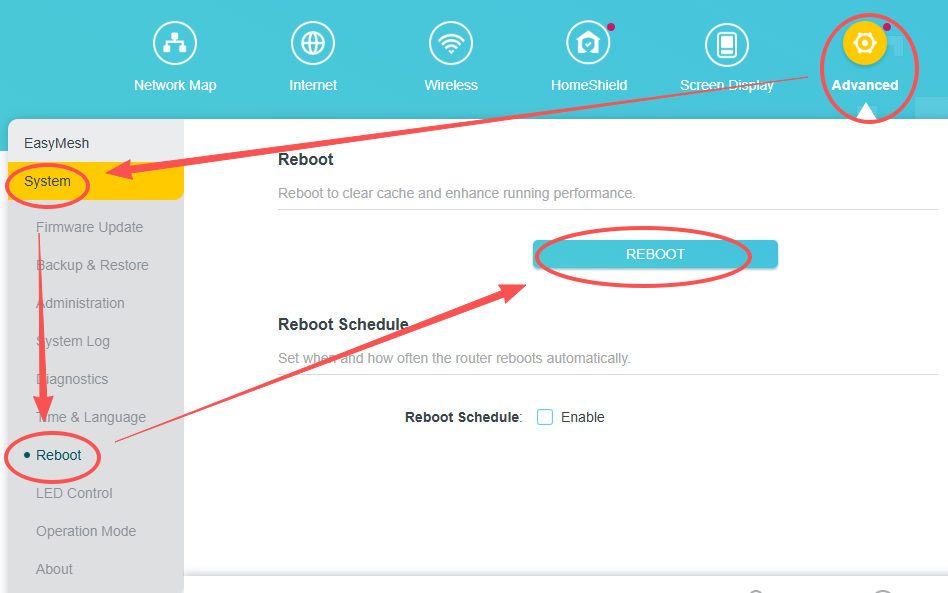
Step 3. Go to Advanced > System > Reboot, click REBOOT.
Questa faq è utile?